AI writing · Local-first · Free to start

Write more.
Think clearer.
Keep your voice.

Cafezin is the AI workspace for writers, educators, and creators who want to move faster without giving up their voice or their files.

Free forever Files stay local No credit card

macOS 13 Ventura+·Apple Silicon & Intel·~68 MB·Notarized by Apple
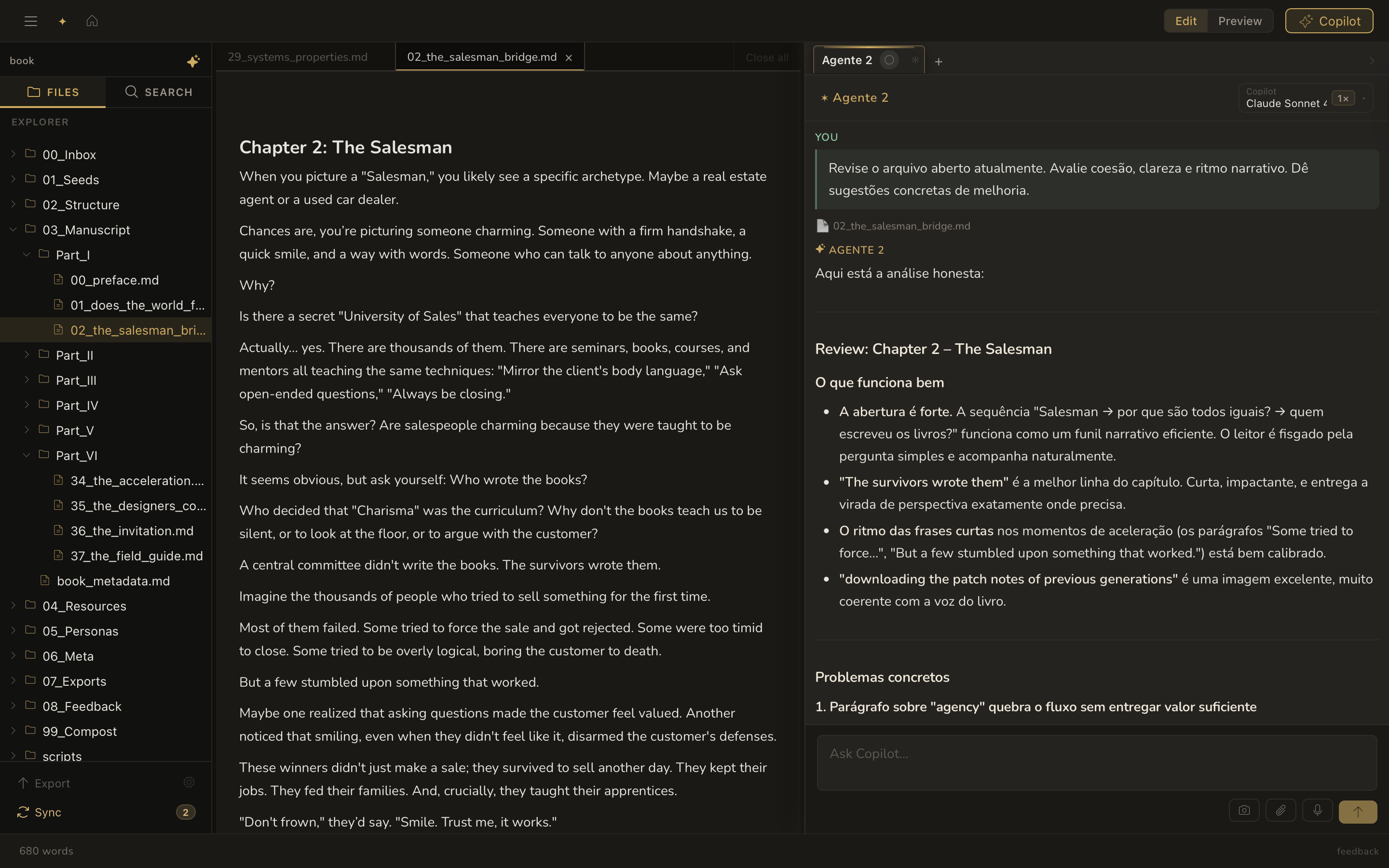
Cafezin writing editor with AI review panel

AI that works inside your real project

For writers, educators, and students — Cafezin amplifies what you already do.

No account required  ·  Free to download  ·  macOS 14+

One calm workspace to think, write, teach, and create faster

📝

Your AI writing copilot

Draft chapters, lessons, scripts, notes, and outlines with AI that works inside your real project instead of a blank chat box.

📚

Markdown that stays yours

Keep plain Markdown files, linked notes, and project structure on your own device so your work stays portable, readable, and reusable for years.

🧠

Canvas for ideas and slides

Move from messy thoughts to clear structure: map ideas visually, organize frames, and turn them into slides without switching tools.

Cafezin writing editor: book chapter open with AI review panel providing feedback on the right
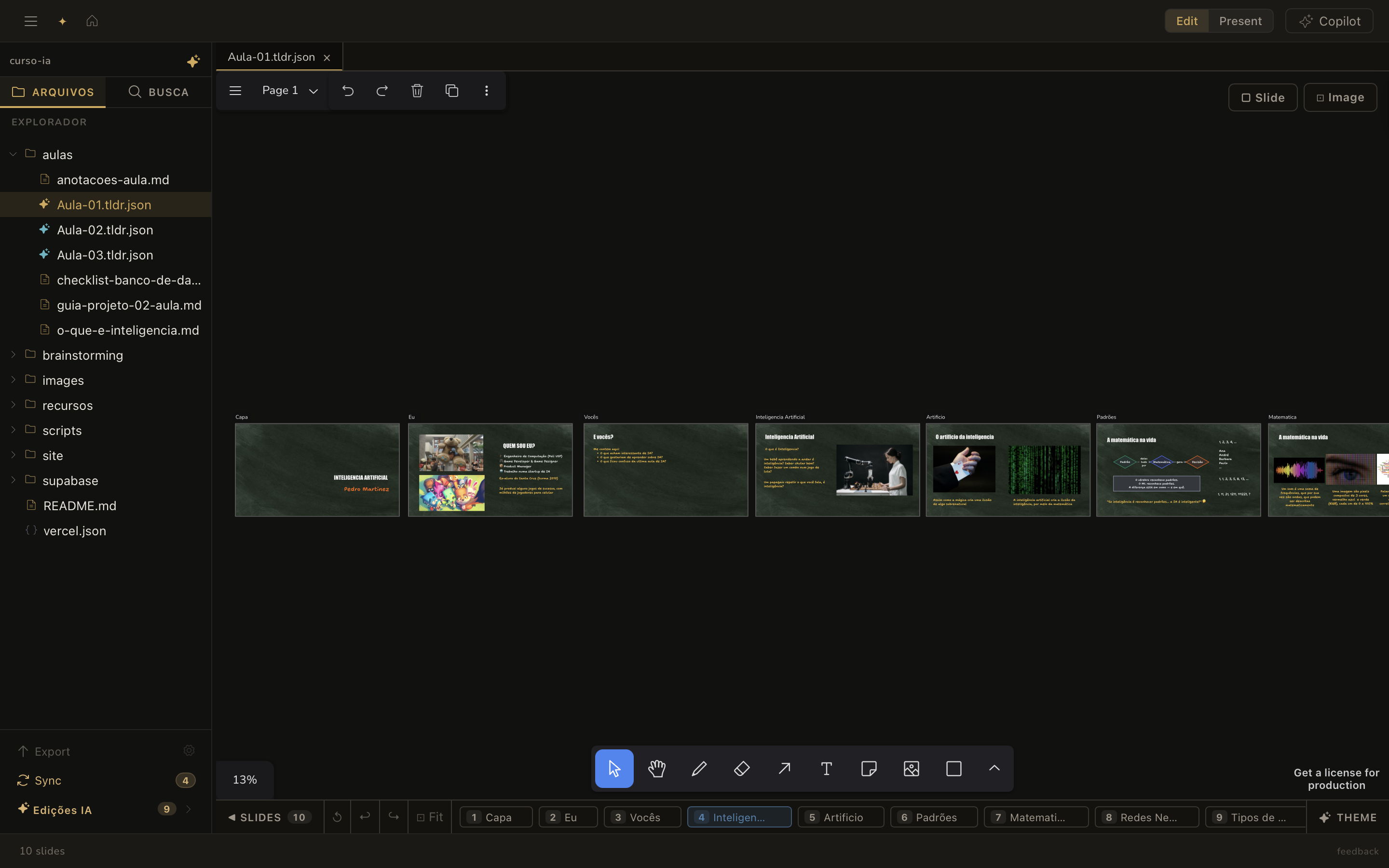
Cafezin canvas view: a course with 10 slides laid out in the visual workspace
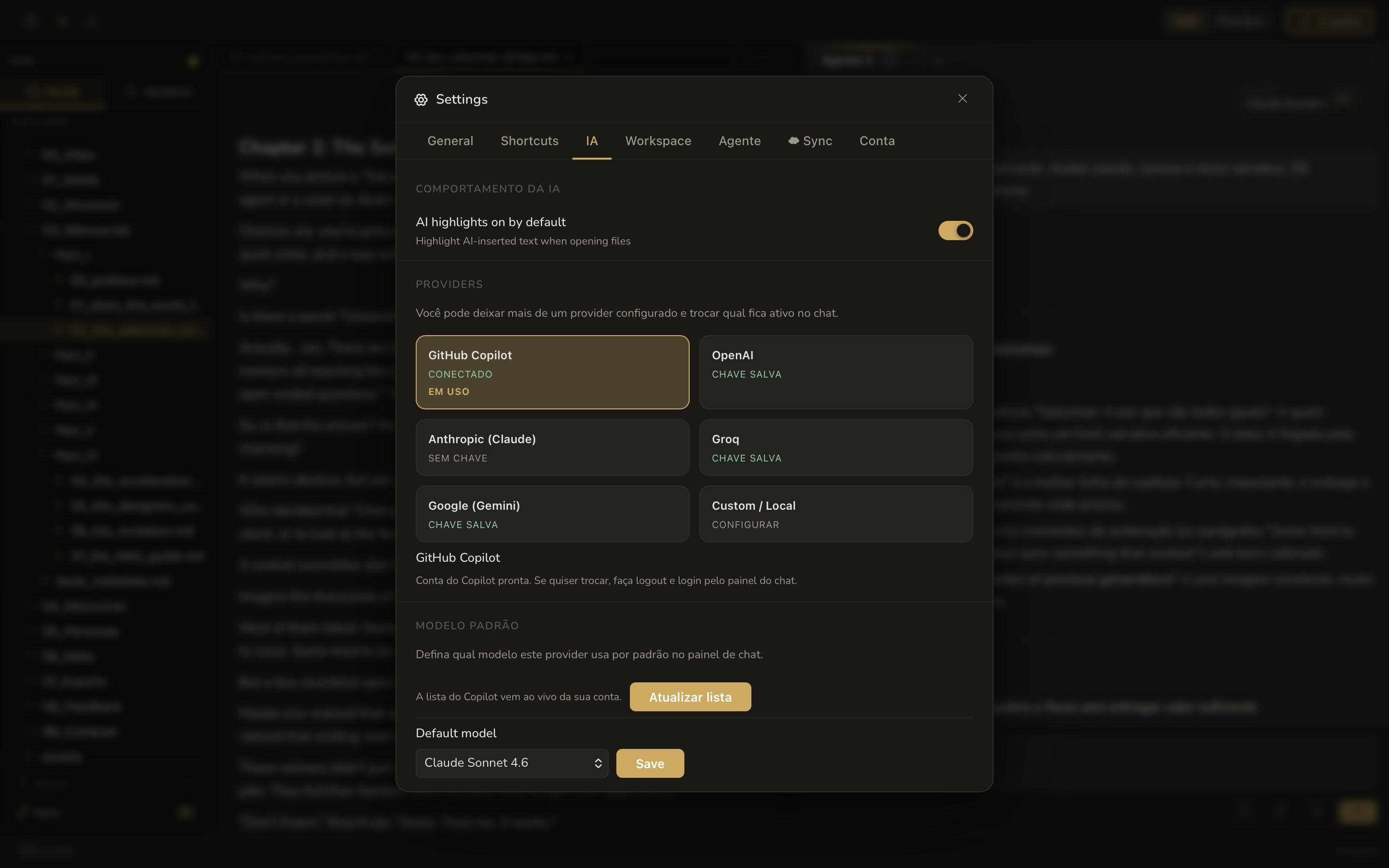
Cafezin settings: choose between GitHub Copilot, OpenAI, Anthropic, Groq, and Google Gemini

Up and writing in 3 steps

1

Download free for Mac

One-click install, ~68 MB. Runs natively on Apple Silicon and Intel Macs with macOS 13+. No account required.

2

Open your workspace

Create a new project or open any folder of existing Markdown files. Everything stays on your device — no sync, no cloud.

3

Write with AI at your side

Use the editor, canvas, and AI panel to draft, plan, and create — reviewing every AI suggestion before accepting it.

Download free for Mac →

No account required  ·  Free forever  ·  macOS 13+

Built for people who want to create more, with less friction

✍️

Long-form writing

Write chapters, essays, lesson plans, and research notes in a focused editor built to keep you in flow.

🗺️

Dynamic visual planning

Sketch ideas on an infinite canvas, connect concepts visually, and turn frames into slides without leaving the workspace.

🔒

Local-first ownership

Your files stay on your computer. No mandatory cloud, no hard lock-in, and plain Markdown that remains readable anywhere.

🕹️

Version history built in

Keep the process, not only the result. Every workspace can preserve your evolution, experiments, and revisions.

🎙️

Voice to draft

Speak your ideas while you drink a coffee, transcribe them fast, and turn them into drafts, outlines, or next steps in the same workspace.

Made for people who should already be working faster with AI

📖

Writers

Your assistant for writing books, chapters, essays, and chronicles faster without giving up authorship.

🎓

Educators

Turn rough notes into dynamic classes, slide-ready frames, and teaching materials with current AI support.

💡

Content creators

Plan scripts, newsletters, and content systems with AI that helps you move faster while you stay in charge.

🗂️

Knowledge work

Build a serious second-brain workflow with linked notes, local files, and AI grounded in your own workspace.

Trusted by writers, educators, and creators

★★★★★

"I've tried every AI writing tool out there. What pulled me in with Cafezin was being able to see exactly what the AI changed — it marks the edits and I accept or reject each one. Finished two chapters in a week without losing my voice."

Carlos F.
Carlos F.
Novelist, 3 published books
★★★★★

"I prep my lectures using notes I've been building for years. Now I open them inside Cafezin, ask the AI to structure an outline and turn it into slides — and it actually reads the documents I have open. Saves me two hours of prep per class."

Ana S.
Ana S.
University professor, Computer Science
★★★★★

"I was using four different tools: one for notes, one for outlines, one for AI, one for slides. Cafezin replaced all of them. My whole research project in one place, with AI that knows what I'm working on."

Arjun M.
Arjun M.
PhD student, Linguistics

Start free. Unlock AI when you need it.

Free
$0 forever

Full editor, canvas, slides, and local files. No time limit.

  • Markdown editor + canvas + slides
  • Local files — no cloud required
  • Built-in version history
  • AI features
Download free
Basic
$5 /yr

Unlock AI with a light budget. Great for occasional use.

  • Everything in Free
  • AI drafting, chat & review
  • $2/mo managed AI included
  • BYOK (Copilot, OpenAI, Claude…)
Start Basic
Pro
$50 /yr

Power users and heavy AI workflows.

  • Everything in Standard
  • $40/mo managed AI included
  • Highest managed AI budget
  • Priority billing support
Start Pro

Compare all plan features in detail → · See downloads · Read release notes

Frequently asked

Is Cafezin really free?
Yes. The full Markdown editor, visual canvas, slides, and local file system are free forever — no credit card, no time limit. AI features (drafting, revising, summarising with AI) require a paid plan starting at $5/month, or you can bring your own API key from OpenAI, Anthropic, or GitHub Copilot at no extra charge.
Do my files go to the cloud?
No. Cafezin is local-first — all your documents live on your device as plain Markdown files. There's no mandatory cloud sync and no vendor lock-in. Your files remain fully readable in any text editor, forever.
Which AI models does it support?
Cafezin works with GitHub Copilot, OpenAI's latest models, Anthropic Claude, Google Gemini, and Groq. Paid plans include managed Cafezin AI credits so you don't need your own API key. BYOK (Bring Your Own Key) is always available on any plan.
Does it work offline?
The editor, canvas, version history, and all local-file features work fully offline. AI features require an internet connection to reach the model provider. Your files are never uploaded unless you explicitly send them to AI.
What Mac do I need?
Cafezin requires macOS 13 Ventura or later and runs natively on both Apple Silicon (M1/M2/M3/M4) and Intel Macs. A Windows version is also available on the downloads page.

Stop fighting your tools.
Start finishing your work.

Free forever on macOS and Windows.
No credit card required. Your files never leave your device.

Download free for Mac → Also on Windows